Smart homes are no longer a futuristic concept reserved for tech enthusiasts. They have quietly become part of everyday life, transforming how people interact with lighting, security, climate control, and entertainment systems. At the center of this transformation are smart home management apps, which act as the control hubs that connect users to all their devices through a single interface.
These apps simplify complex ecosystems, allowing homeowners and renters alike to monitor, automate, and customize their living spaces. From adjusting the thermostat remotely to receiving real-time security alerts, smart home apps bring convenience, efficiency, and peace of mind into one place. As smart devices continue to evolve, these apps play an even more critical role in making technology accessible and intuitive.
If you want to understand how smart home apps work, which platforms stand out, and what real benefits they offer beyond basic control, this guide was designed for you. Exploring these tools in depth can help you build a smarter, more responsive home environment that adapts naturally to your routine.
What Are Smart Home Management Apps and How Do They Work?
Smart home management apps are mobile or desktop applications designed to connect, control, and automate smart devices within a home. These devices can include smart lights, plugs, thermostats, cameras, speakers, locks, sensors, and even appliances. The app serves as a centralized dashboard, replacing the need to open multiple apps for different brands or functions.
Most smart home apps operate using cloud connectivity or local networks such as Wi-Fi, Bluetooth, or Zigbee. When a device is added to the app, it can be controlled remotely, scheduled, or integrated into automation routines. For example, a single command can turn off all lights, lock doors, and lower the thermostat when you leave home.
Beyond manual control, these apps excel at automation. Users can create rules based on time, location, device status, or sensor activity. This means your home can respond automatically without constant input, making daily life smoother and more efficient.
Google Home App: Simplicity and Wide Compatibility
The Google Home app is one of the most popular smart home management platforms due to its clean interface and broad device compatibility. It supports thousands of devices from different manufacturers, making it an excellent choice for users with mixed-brand ecosystems.
One of its main benefits is seamless voice integration. Users can control devices using natural language commands through smart speakers or smartphones. The app allows grouping devices by room, creating routines, and setting schedules with minimal effort. A morning routine, for instance, can turn on lights, adjust the thermostat, and play music automatically.
Another advantage is its continuous improvement. Regular updates add new features, enhance automation options, and expand device compatibility. For users seeking a straightforward and scalable solution, Google Home offers a strong balance between power and ease of use.
Amazon Alexa App: Advanced Voice Control and Automation
The Amazon Alexa app is widely known for its powerful voice assistant capabilities. It acts as the central control panel for Alexa-enabled devices, offering deep customization and automation options. Users can manage smart lights, locks, cameras, and appliances through both voice and touch controls.
One standout feature is the ability to create complex routines triggered by voice commands, schedules, or device interactions. For example, saying a specific phrase can initiate a multi-step routine involving several devices at once. This makes Alexa especially appealing to users who value hands-free control.
The app also supports third-party skills, which expand its functionality far beyond basic smart home control. These skills allow integration with additional services, making the Alexa ecosystem highly adaptable to individual preferences and evolving needs.
Apple Home App: Privacy-Focused Smart Home Control
The Apple Home app, often referred to as HomeKit, is designed for users who prioritize privacy and seamless integration within the Apple ecosystem. It provides a polished interface that aligns with Apple’s design philosophy while offering robust smart home control.
One of its strongest benefits is end-to-end encryption. Device data and camera feeds are protected, giving users confidence that their smart home information remains secure. Automation within the app is intuitive, allowing users to create scenes that activate multiple devices simultaneously.
Another advantage is local processing. Many commands are executed directly within the home network, reducing reliance on cloud services and improving responsiveness. For users invested in Apple devices, the Home app delivers a refined and secure smart home experience.
Samsung SmartThings: Powerful Customization and Device Support
Samsung SmartThings stands out for its flexibility and advanced customization options. It supports a wide range of devices, including those using Zigbee and Z-Wave protocols, making it ideal for users with complex smart home setups.
The app allows detailed automation rules based on conditions such as time, device status, and sensor readings. This enables highly personalized home behavior, such as adjusting lighting based on motion or temperature changes.
Another key benefit is its hardware integration. SmartThings hubs and compatible devices work together to maintain local control even if the internet connection is unstable. For users who enjoy fine-tuning their smart home logic, SmartThings offers exceptional depth.
Home Assistant: Open-Source Control for Advanced Users
Home Assistant is an open-source smart home platform designed for users who want complete control over their environment. Unlike mainstream apps, it runs locally on a server or dedicated device, offering unmatched flexibility and privacy.
Its biggest advantage is customization. Users can integrate almost any smart device, regardless of brand, and create advanced automation using scripts and logic conditions. This makes it possible to build highly intelligent systems that respond to complex scenarios.
While Home Assistant has a steeper learning curve, it rewards users with independence from cloud services and long-term scalability. It is particularly attractive to tech-savvy individuals who want a future-proof smart home solution.
Tuya Smart and Smart Life: Budget-Friendly Smart Home Management
Tuya Smart and Smart Life are popular apps for managing affordable smart devices from various manufacturers. These platforms power a vast number of smart products available worldwide, especially budget-friendly options.
The apps provide essential features such as device grouping, scheduling, and automation. Users can control lights, plugs, cameras, and sensors without requiring expensive hubs or subscriptions.
Another benefit is ease of setup. Devices can often be added within minutes, making these apps suitable for beginners. For users looking to build a smart home on a budget, Tuya-based apps offer impressive value.
Benefits of Using Smart Home Management Apps
Smart home management apps offer convenience by centralizing control of multiple devices into one interface. This eliminates the need to manage separate apps for each brand, saving time and reducing complexity.
Energy efficiency is another major benefit. Automation and scheduling help reduce unnecessary power usage, lowering energy bills over time. Users can monitor usage patterns and adjust settings for optimal efficiency.
Security and peace of mind also improve significantly. Real-time notifications, remote access, and automated security routines allow users to stay connected to their homes from anywhere, enhancing overall safety.
How to Choose the Right Smart Home App for Your Needs
Choosing the right smart home app depends on several factors. Device compatibility is crucial, especially if you already own smart products. Ensuring the app supports your devices prevents frustration and limitations.
Ease of use should also be considered. Some apps prioritize simplicity, while others offer advanced customization. Understanding your comfort level with technology helps narrow down the best option.
Privacy and reliability matter as well. Users concerned about data security may prefer platforms with strong encryption and local control. Evaluating these aspects ensures a smart home setup that aligns with your values and lifestyle.
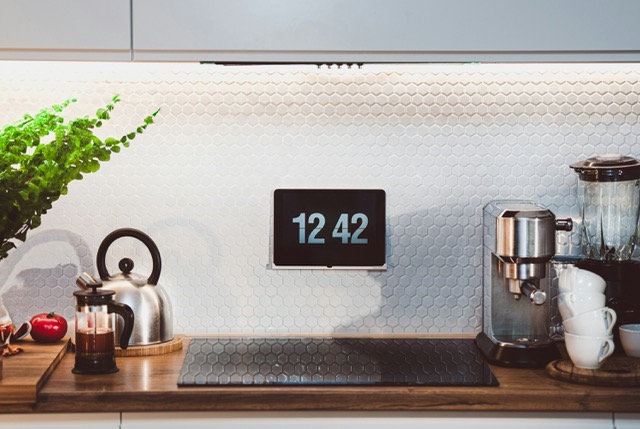
Smart Home Apps and Automation Scenarios That Improve Daily Life
One of the most powerful aspects of smart home management apps is their ability to create automation scenarios that quietly improve daily routines. Instead of manually controlling devices, users can design flows where the home reacts automatically to specific situations. This turns technology into a background assistant rather than something that demands constant attention.
A common example is a “leaving home” scenario. When triggered, the app can turn off all lights, lower or turn off climate systems, lock doors, and activate security cameras. The same logic applies when returning home, with lights turning on gradually and the temperature adjusting to a comfortable level before arrival.
Morning and evening routines are equally impactful. Smart home apps allow users to synchronize alarms, lighting, music, and even coffee machines into a single routine. These automations reduce friction in everyday tasks and create a sense of flow that feels natural rather than technical.
Energy Monitoring and Cost Optimization Through Smart Home Apps
Beyond convenience, smart home apps play a growing role in energy efficiency. Many platforms provide detailed insights into energy consumption, helping users understand where and when power is being used. This data-driven approach allows for smarter decisions that reduce waste and lower utility costs.
Smart plugs and thermostats connected to management apps can track usage patterns and suggest optimizations. For example, heating or cooling systems can be automatically adjusted based on occupancy, time of day, or external temperature conditions. Over time, these small adjustments lead to noticeable savings.
Some apps also allow users to set energy usage alerts. If a device consumes more power than usual, the app notifies the user, helping identify faulty equipment or inefficient habits. This transforms the smart home app into an active tool for sustainability rather than just control.
Managing Smart Home Security From a Single App
Security is one of the strongest motivators for adopting smart home technology, and management apps serve as the nerve center for home protection. Through a single interface, users can monitor cameras, door locks, motion sensors, and alarms in real time.
Smart home apps enable instant notifications when unusual activity is detected. Whether it’s motion at the front door, a window opening, or a camera detecting movement, users stay informed regardless of location. This level of visibility significantly increases peace of mind.
Advanced platforms also support automation for security purposes. Lights can turn on automatically when motion is detected at night, cameras can activate only when no one is home, and doors can lock themselves after a set period. These features create layered security without constant manual oversight.
Multi-User and Family Management Features
Smart home management apps are not limited to single users. Many platforms offer multi-user access, allowing family members or housemates to interact with the smart home according to predefined permissions. This ensures both flexibility and control.
Parents can manage what children are allowed to access, while homeowners can grant limited permissions to guests or service providers. For example, a guest might control lighting but not security systems. This granular access management adds a layer of safety and organization.
Shared dashboards also help households coordinate routines. Everyone can see device statuses, schedules, and alerts, reducing confusion and improving collaboration. In multi-person homes, this shared control becomes essential for a smooth smart home experience.
Voice Assistants vs. App-Based Control: Finding the Right Balance
While voice assistants often steal the spotlight, smart home apps remain essential. Voice commands are ideal for quick actions, but apps offer precision, customization, and visual feedback that voice alone cannot provide.
Smart home apps allow users to fine-tune automation rules, adjust schedules, and monitor device history. These tasks are often impractical through voice commands. The app becomes the control room where everything is configured and optimized.
The most effective smart homes combine both approaches. Voice assistants handle immediate commands, while apps manage long-term logic and insights. Understanding this balance helps users get the most out of their smart home ecosystem without frustration.
Cross-Brand Compatibility and the Matter Standard
One of the historical challenges in smart home technology has been compatibility between brands. Smart home management apps increasingly address this issue by supporting multiple ecosystems and communication protocols.
New interoperability standards aim to simplify device integration, allowing products from different manufacturers to work together more reliably. This reduces vendor lock-in and gives users greater freedom when choosing devices.
As compatibility improves, smart home apps become more future-proof. Users can expand or upgrade their setups without worrying about replacing entire systems. This flexibility is crucial for long-term smart home planning.
Cloud-Based vs. Local Control in Smart Home Apps
Smart home apps differ significantly in how they process commands and data. Cloud-based platforms rely on external servers to execute actions, while local-control systems operate directly within the home network.
Cloud-based apps offer convenience and remote access, but they depend heavily on internet stability. Local-control apps, on the other hand, provide faster response times and enhanced privacy but may require more technical setup.
Many modern platforms adopt a hybrid approach, combining the strengths of both models. Understanding these differences helps users choose an app that aligns with their priorities, whether that’s reliability, privacy, or ease of use.
Customization and Personalization in Smart Home Experiences
Customization is what transforms a smart home from a collection of gadgets into a personalized living environment. Smart home apps allow users to tailor device behavior to match habits, preferences, and lifestyle patterns.
From adjusting lighting color temperatures throughout the day to setting climate preferences for different rooms, personalization enhances comfort. Over time, these adjustments make the home feel responsive rather than programmed.
Some apps also learn from user behavior, suggesting automation improvements or optimizing routines automatically. This adaptive personalization represents the next evolution of smart home management, where technology evolves alongside the user.
Using Smart Home Apps in Apartments and Rental Properties
Smart home management is no longer limited to homeowners. Many apps and devices are designed to be renter-friendly, requiring minimal installation and no permanent modifications.
Wireless devices, smart plugs, and portable sensors can be easily removed when moving. Apps allow renters to enjoy automation, energy savings, and security without violating lease agreements.
This accessibility expands the smart home concept beyond ownership. As a result, smart home apps are becoming a lifestyle upgrade rather than a long-term infrastructure decision.
Long-Term Maintenance and Scalability of Smart Home Apps
A smart home is not a one-time setup. Over time, devices are added, replaced, or upgraded, and the management app must scale accordingly. Choosing a platform with long-term support and regular updates is essential.
Well-maintained apps continue to improve security, compatibility, and performance. They adapt to new devices and standards, protecting the user’s investment over time.
Scalability also matters for growing households. A good smart home app should handle increasing complexity without becoming confusing or unreliable. This ensures the smart home remains an asset rather than a burden.
How Smart Home Apps Are Shaping Future Living Spaces
Smart home apps are influencing how homes are designed and used. Builders and designers increasingly consider automation and app-based control as standard features rather than optional extras.
As artificial intelligence becomes more integrated, smart home apps will move beyond reactive control into predictive behavior. Homes will anticipate needs, adjust environments proactively, and offer deeper personalization.
These changes point to a future where smart home management apps are not just tools, but essential interfaces between people and their living spaces.
Common Challenges and Limitations of Smart Home Apps
Despite their advantages, smart home apps can present challenges. Compatibility issues may arise when devices from different ecosystems do not integrate smoothly. This can limit automation potential.
Connectivity is another concern. Many apps rely on stable internet connections, and disruptions can temporarily reduce functionality. Choosing apps with local control options helps mitigate this issue.
Learning curves can also be a barrier. Advanced platforms may require time and experimentation to master. However, the long-term benefits often outweigh the initial setup effort.
The Future of Smart Home Management Apps
Smart home apps continue to evolve alongside artificial intelligence and machine learning. Future updates are expected to bring more predictive automation, allowing homes to anticipate user needs more accurately.
Interoperability standards are also improving. This means greater compatibility between brands, simplifying setup and expanding possibilities for users.
As smart homes become more common, these apps will play an even more central role in shaping how people interact with their living spaces, making homes more responsive, efficient, and personalized.
Conclusion
Smart home management apps are the backbone of modern connected living. They transform individual devices into cohesive systems that respond intelligently to daily routines. Whether prioritizing simplicity, customization, privacy, or affordability, there is an app designed to meet different needs and preferences. By understanding how these platforms work and what they offer, users can make informed decisions and unlock the full potential of their smart homes.
Frequently Asked Questions
1. Do I need multiple apps to manage a smart home?
No, many smart home management apps support devices from different brands, allowing centralized control through a single platform.
2. Are smart home apps secure?
Most reputable apps use encryption and security measures, but privacy levels vary. Reviewing each app’s security approach is recommended.
3. Can smart home apps work without internet access?
Some platforms offer limited local control, but full functionality often depends on an active internet connection.
4. Are smart home apps suitable for beginners?
Yes, many apps are designed with user-friendly interfaces and guided setup processes for beginners.
5. Can I switch smart home apps later?
In most cases, yes. However, switching may require reconfiguring devices and automation routines.
Se quiser, posso adaptar o artigo para outro foco (mais técnico, mais comercial, comparativo em tabela, ou voltado para conversão com afiliados).