Digital drawing has completely transformed the way people create art. What once required paper, pencils, inks, and physical space can now be done on a tablet, smartphone, or computer with professional-level precision. Drawing apps have evolved into powerful creative studios, offering tools that adapt to different styles, skill levels, and artistic goals.
These applications are no longer limited to simple sketching. Today’s drawing apps provide advanced brush engines, realistic texture simulation, layer management, animation tools, vector support, and seamless exporting options. Whether you are a beginner exploring creativity or a professional illustrator working on commercial projects, there is an app designed to match your workflow.
In this guide, you will discover the most popular and powerful drawing apps available today. We will explore how each app works, its unique strengths, and why different types of artists choose them. By understanding the advantages of each option, you can make a confident decision that supports your creative journey.
Why Use Drawing Apps Instead of Traditional Tools?
Drawing apps offer a level of flexibility that traditional tools simply cannot match. Mistakes are no longer permanent, experimentation becomes stress-free, and ideas can evolve naturally without material waste. The ability to undo actions, duplicate layers, and test variations encourages creative freedom.
Another major benefit is efficiency. Digital tools allow artists to work faster, organize projects more effectively, and reuse custom brushes or templates across multiple artworks. This is especially valuable for professionals working under deadlines or creators producing content regularly.
Portability is another key advantage. With a single device, artists can draw anywhere, save their work instantly, and share it across platforms. For modern creatives, drawing apps are not just tools—they are complete creative ecosystems.
Procreate
Procreate is widely regarded as one of the most powerful and intuitive drawing apps available. Designed exclusively for tablets, it delivers a smooth, responsive experience that closely mimics traditional drawing while offering digital precision.
One of Procreate’s biggest strengths is its brush engine. Artists can customize every aspect of a brush, including texture, pressure sensitivity, flow, opacity, and tilt response. This allows creators to replicate pencils, charcoal, ink, watercolor, oil paint, and entirely new digital styles.
Performance is another standout feature. Procreate handles large canvases and complex files with impressive speed, even when using multiple layers and effects. The interface is minimalistic, keeping distractions away while maintaining easy access to advanced tools.
The app also includes time-lapse recording, automatically capturing the entire drawing process. This feature is especially valuable for artists who create tutorials, social media content, or portfolio showcases. Combined with a one-time purchase model, Procreate offers exceptional value for both hobbyists and professionals.
Adobe Fresco
Adobe Fresco focuses on blending traditional painting techniques with modern digital workflows. It is particularly known for its Live Brushes, which simulate watercolor and oil paint behavior with remarkable realism.
These brushes react dynamically, blending colors naturally and spreading pigment in ways that feel organic. For artists who love traditional painting but want digital flexibility, this creates a highly satisfying experience.
Another major advantage is integration. Adobe Fresco connects seamlessly with other Adobe creative tools, making it easy to move projects between devices and software environments. This is ideal for artists who combine illustration, design, and photo editing in their work.
The interface is clean and accessible, making it beginner-friendly while still offering depth for professionals. Fresco supports both raster and vector workflows, allowing artists to switch styles without changing apps.
Clip Studio Paint
Clip Studio Paint is a favorite among illustrators, comic artists, and manga creators. Its strength lies in line quality, precision, and specialized tools designed for storytelling and detailed artwork.
The app offers advanced brush stabilization, which helps create smooth, controlled lines even during fast movements. This is particularly useful for inking, character design, and clean line art.
Clip Studio Paint also includes tools specifically built for comics, such as panel layouts, speech bubbles, perspective rulers, and multi-page project management. These features significantly reduce production time for artists working on narrative projects.
Customization is another strong point. Artists can download or create thousands of brushes, textures, and materials, tailoring the software to their exact needs. This level of flexibility makes Clip Studio Paint suitable for both beginners and industry professionals.
Autodesk Sketchbook
Autodesk Sketchbook is known for its simplicity and speed. It focuses on providing a natural drawing experience without overwhelming users with complex menus or tools.
The interface stays hidden until needed, allowing artists to focus entirely on their canvas. This makes Sketchbook ideal for quick sketches, concept art, and brainstorming sessions.
Despite its simplicity, the app includes powerful features such as customizable brushes, layers, blending modes, and perspective guides. These tools are more than sufficient for professional-level sketching and illustration.
Sketchbook is often chosen by beginners because of its gentle learning curve, but many professionals also rely on it for ideation and early design stages.
Krita
Krita is a powerful open-source drawing application designed primarily for digital painting and illustration. It offers advanced tools that rival many paid alternatives, making it popular among independent artists.
The brush engine is highly sophisticated, allowing deep customization of textures, dynamics, and effects. Krita excels at painterly styles, concept art, and expressive illustrations.
Another advantage is its strong community support. Artists share brushes, tutorials, and plugins, constantly expanding the app’s capabilities. This collaborative environment helps users grow and refine their skills.
Krita also supports animation, layer management, and color control features that appeal to professionals working on complex projects.
MediBang Paint
MediBang Paint is a lightweight but feature-rich app aimed at illustrators and comic creators. It offers a wide selection of brushes, screen tones, and templates tailored for manga and graphic storytelling.
One of its biggest advantages is accessibility. The app runs smoothly on a wide range of devices, making it ideal for artists with less powerful hardware.
Cloud features allow artists to store projects online and access them from different devices. This adds flexibility for creators who work across multiple platforms.
MediBang Paint strikes a balance between simplicity and functionality, making it appealing to beginners while still supporting professional workflows.
How to Choose the Right Drawing App for You
Choosing the best drawing app depends on your artistic goals, preferred style, and device. Some apps focus on realistic painting, while others prioritize line art, comics, or speed.
Beginners often benefit from apps with simple interfaces and strong default settings. More advanced artists may prefer deep customization, specialized tools, and integration with other creative software.
It’s also important to consider how you plan to use your artwork. Social media creators, educators, freelancers, and hobbyists all have different needs. The best app is the one that supports your creativity without getting in the way.
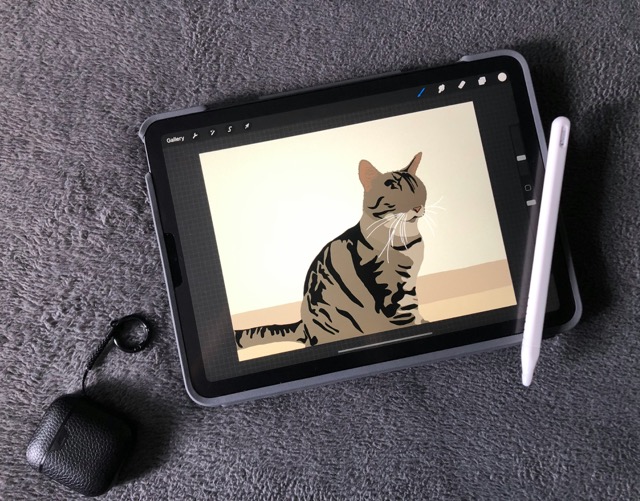
Essential Tools Inside Drawing Apps That Transform Your Art
Beyond brushes and colors, modern drawing apps include advanced tools that significantly improve artistic control and efficiency. Layers, for example, are foundational. They allow artists to separate sketches, line art, colors, shadows, and highlights, making adjustments without affecting the entire piece. This layered workflow mirrors professional studio practices and helps artists refine details gradually.
Selection tools are another essential feature. They enable precise editing of specific areas, such as resizing a character’s hand, adjusting facial proportions, or recoloring a background without disturbing other elements. Combined with transformation tools, selections give artists freedom to experiment with composition and anatomy.
Blending modes also play a crucial role. These modes control how layers interact, allowing for realistic lighting, shadows, reflections, and color depth. Artists who understand blending modes can create more dynamic and polished illustrations with minimal effort.
Brush Customization and Why It Matters for Artistic Identity
Brushes are more than tools—they define an artist’s signature style. Drawing apps allow users to customize brushes down to the smallest detail, including texture grain, stroke tapering, pressure curves, and spacing. This level of control makes it possible to recreate traditional media or invent entirely new aesthetics.
Custom brushes also improve workflow speed. Instead of adjusting settings repeatedly, artists can save brushes tailored to specific tasks, such as sketching, inking, shading, or detailing hair and fabric. Over time, this builds a personalized toolkit that enhances consistency and efficiency.
Many artists share or sell custom brush packs, which has created a thriving creative economy around digital tools. This not only helps beginners learn faster but also allows experienced artists to expand their visual vocabulary by experimenting with new brush styles.
How Drawing Apps Support Different Artistic Styles
One of the greatest strengths of drawing apps is their adaptability to various art styles. Whether someone prefers realism, anime, abstract art, or minimalist illustration, digital tools can be adjusted to match those preferences.
Realistic artists benefit from textured brushes, subtle pressure sensitivity, and color blending tools that simulate real-world materials. Stylized illustrators often focus on clean lines, flat colors, and bold shapes, using vector tools and sharp brushes for precision.
For experimental artists, drawing apps encourage exploration. Glitch effects, unconventional brushes, and non-destructive editing make it easy to push creative boundaries without risk. This versatility makes digital drawing appealing to artists who don’t want to be confined to one visual language.
Using Drawing Apps for Animation and Motion Art
Many drawing apps now include animation features, opening new creative possibilities. Frame-by-frame animation allows artists to bring characters, icons, and scenes to life directly within the same environment they use for illustration.
These animation tools often include onion skinning, timeline management, and export options for video or animated image formats. This makes drawing apps useful not only for illustrators but also for animators, content creators, and educators.
Short animated loops are especially popular for social media, portfolios, and digital branding. Artists who understand basic animation principles can significantly expand their creative reach using tools already built into many drawing apps.
Optimizing Workflow for Speed and Productivity
Efficiency is critical for artists who draw regularly or professionally. Drawing apps support productivity through shortcuts, gestures, and customizable interfaces. These features reduce friction and keep the creative flow uninterrupted.
For example, gesture-based commands allow users to undo actions, zoom, rotate the canvas, or switch tools instantly. Keyboard shortcuts and quick menus further speed up repetitive tasks, which is especially useful during long drawing sessions.
File organization is another important factor. Many apps offer project folders, tagging systems, and cloud backups. This helps artists manage large volumes of work, revisit older projects, and maintain a structured creative archive.
Exporting, Sharing, and Using Artwork Across Platforms
Creating art is only part of the process—sharing it is just as important. Drawing apps support multiple export formats, allowing artists to use their work in different contexts, from printing to digital publishing.
High-resolution exports preserve detail for posters, merchandise, or client projects. Transparent backgrounds make it easy to integrate illustrations into designs, websites, or videos. Some apps also support layered exports for collaboration with designers or editors.
Direct sharing options streamline publishing on social platforms, while cloud syncing enables access across devices. This flexibility ensures that artwork created in drawing apps fits seamlessly into modern digital workflows.
Drawing Apps for Learning, Practice, and Skill Development
Drawing apps are powerful learning tools. Many artists use them not just to create finished pieces, but also to practice fundamentals like anatomy, perspective, shading, and color theory.
Features such as symmetry tools, perspective guides, and reference image integration help artists study complex concepts visually. Time-lapse recordings allow users to review their own process, identify mistakes, and track improvement over time.
Educational communities built around drawing apps further enhance learning. Tutorials, challenges, and shared resources make digital drawing an interactive and collaborative experience rather than a solitary one.
Hardware Compatibility and Its Impact on Drawing Experience
The performance of drawing apps is closely tied to hardware. Screen size, resolution, and stylus sensitivity all influence comfort and precision. Larger screens allow more detailed work, while smaller devices are ideal for quick sketches and portability.
Stylus technology plays a major role. Pressure sensitivity, tilt recognition, and palm rejection significantly improve control and realism. Artists who invest in compatible hardware often experience smoother workflows and better results.
However, drawing apps are increasingly optimized to run on a wide range of devices. This accessibility ensures that creative expression is not limited by expensive equipment.
Common Mistakes Artists Make When Using Drawing Apps
Despite their power, drawing apps can be overwhelming at first. One common mistake is relying too heavily on effects instead of fundamentals. While digital tools can enhance artwork, strong composition, anatomy, and color understanding remain essential.
Another mistake is neglecting file organization. Without proper naming, folders, and backups, artists may lose work or struggle to manage projects efficiently.
Lastly, some artists hesitate to experiment due to fear of failure. Digital tools are designed for exploration, and embracing trial and error is one of the fastest ways to grow creatively.
The Role of Drawing Apps in Professional Careers
Drawing apps are widely used in professional fields such as illustration, game design, animation, marketing, and education. They enable fast iteration, collaboration, and adaptation to client feedback.
Freelancers benefit from the ability to deliver polished work quickly, while studios use digital tools to maintain consistency across large projects. Educators use drawing apps to teach visual concepts in engaging ways.
As digital content continues to dominate communication, drawing apps remain essential tools for visual storytelling and creative problem-solving.
Future Trends in Digital Drawing Applications
The future of drawing apps is closely tied to advancements in artificial intelligence, augmented reality, and cloud collaboration. AI-assisted tools are beginning to support color suggestions, pose correction, and workflow automation.
Real-time collaboration may soon allow multiple artists to work on the same canvas simultaneously. Enhanced realism, improved performance, and deeper customization will continue to push the boundaries of what digital art can achieve.
As these technologies evolve, drawing apps will become even more intuitive, powerful, and accessible, further democratizing creative expression.
Final Thoughts on Expanding Your Creative Potential
Drawing apps are more than digital replacements for traditional tools—they are catalysts for creative growth. By mastering their features, artists gain freedom, efficiency, and confidence in their work.
Exploring advanced tools, refining workflows, and experimenting with styles allows creators to evolve continuously. Whether used for learning, expression, or professional production, drawing apps empower artists to transform imagination into visual reality with clarity and control.
Conclusion
Drawing apps have redefined what it means to create art in the digital age. They offer freedom, flexibility, and powerful tools that adapt to every level of experience. From expressive sketching to polished professional illustrations, these apps open endless creative possibilities.
By understanding how each drawing app works and what it excels at, artists can choose tools that truly enhance their workflow. The right app doesn’t just make drawing easier—it makes the creative process more enjoyable and sustainable over time.
As digital art continues to evolve, drawing apps will remain essential companions for anyone who wants to turn ideas into visual expression with confidence and creativity.
Frequently Asked Questions
1. Are drawing apps suitable for complete beginners?
Yes, many drawing apps are designed with intuitive interfaces and tutorials that help beginners learn basic techniques while growing gradually.
2. Can drawing apps replace traditional art tools entirely?
While some artists still prefer traditional tools, drawing apps can fully replace them for many workflows, offering more flexibility and efficiency.
3. Do I need a stylus to use drawing apps effectively?
A stylus improves precision and pressure sensitivity, but many apps can still be used with fingers for basic drawing and sketching.
4. Are drawing apps only for professional artists?
No, drawing apps are used by hobbyists, students, educators, designers, and professionals alike.
5. Can artwork created in drawing apps be used commercially?
Yes, most drawing apps allow artists to use their creations for commercial purposes, as long as licensing terms are respected.