Video has become one of the most powerful ways to communicate, educate, and entertain online. From short social media clips to long-form content, tutorials, and promotional videos, editing plays a crucial role in how a message is perceived. Today, video editing apps have evolved far beyond basic trimming tools, offering advanced features that were once exclusive to professional desktop software.
Modern video editing apps are designed to be accessible, intuitive, and surprisingly powerful. Whether you are a beginner experimenting with your first edits or an experienced creator looking for efficiency and creative freedom, there is an app tailored to your needs. These tools combine smart automation, customizable effects, and high-quality export options to help creators produce polished videos from virtually anywhere.
If you want to understand which video editing apps stand out, how they differ, and what benefits each one offers in real-world use, this guide will walk you through the most relevant options and help you see how each app fits different creative goals.
What Makes a Great Video Editing App
A high-quality video editing app goes beyond cutting clips and adding music. The best tools balance usability with depth, offering features that scale with the user’s skill level. Performance, export quality, creative flexibility, and workflow efficiency are key factors that define an excellent editing experience.
Great apps also focus on adaptability. They support multiple aspect ratios, resolutions, and formats, making them suitable for social media, presentations, ads, or storytelling. Cloud integration, template systems, and AI-powered features further streamline the editing process and reduce the learning curve.
Another critical element is control. Advanced apps allow frame-by-frame adjustments, keyframing, layered timelines, and precise color grading. At the same time, beginner-friendly tools provide presets and guided editing to help users achieve professional-looking results without technical complexity.
CapCut
CapCut has gained massive popularity due to its balance between simplicity and powerful features. It is especially well-known for social media–ready tools and a highly intuitive interface that appeals to both beginners and experienced creators.
One of CapCut’s strongest benefits is its wide range of built-in templates. These templates automatically sync video clips with transitions, effects, and music, making it easy to produce eye-catching videos in minutes. For creators who prefer manual control, CapCut also offers a multi-layer timeline, advanced trimming tools, speed ramps, and keyframe animations.
CapCut includes an impressive library of filters, visual effects, text animations, and sound effects. Its AI-powered features, such as automatic captions, background removal, and smart cutouts, significantly reduce editing time. The app supports high-resolution exports and various aspect ratios, making it ideal for short-form and vertical content.
InShot
InShot is widely recognized for its clean design and ease of use. It is an excellent option for users who want to edit videos quickly without sacrificing visual quality. The interface is straightforward, allowing users to trim, split, and merge clips with minimal effort.
One of InShot’s main strengths is its optimization for social media platforms. Users can easily adjust canvas sizes, add borders, apply filters, and insert music to match specific formats. The app also includes speed controls, transitions, and animated text options that help elevate basic edits.
InShot offers precise audio editing tools, allowing creators to balance sound levels, add voiceovers, and sync music accurately. While it is beginner-friendly, it still provides enough customization to satisfy users who want creative control without a steep learning curve.
VN Video Editor
VN Video Editor stands out for offering a professional-style editing experience without overwhelming the user. It features a timeline-based workflow similar to desktop editing software, making it attractive to users who want more precision and structure.
The app supports multi-track editing, keyframe animation, and advanced speed controls. VN also allows detailed audio editing, including separate tracks for music, voice, and effects. Its color adjustment tools enable users to fine-tune brightness, contrast, saturation, and tones with accuracy.
Another major benefit of VN Video Editor is its clean output. It allows high-quality exports without intrusive watermarks, which is a significant advantage for creators focused on branding or professional content. The app is well-suited for storytelling, vlogs, and educational videos.
Adobe Premiere Rush
Adobe Premiere Rush brings the credibility and structure of Adobe’s ecosystem into a mobile-friendly format. It is designed for creators who want consistency across devices and seamless integration with other Adobe tools.
One of its biggest advantages is cross-platform synchronization. Projects can be started on one device and continued on another without losing progress. The app offers essential editing tools, including trimming, transitions, color presets, and audio balancing.
Premiere Rush focuses on efficiency and reliability. Its auto-ducking feature automatically adjusts background music levels when voice audio is present. This makes it especially useful for creators producing talking-head videos, tutorials, or branded content.
KineMaster
KineMaster is known for delivering advanced editing capabilities on mobile devices. It supports multi-layer video editing, blending modes, chroma key, and precise frame-by-frame trimming.
The app provides extensive control over visual elements. Users can apply detailed animations, adjust opacity, and create complex effects using keyframes. Its chroma key feature allows green screen editing, opening up creative possibilities for visual storytelling.
KineMaster also excels in audio control, offering tools to fine-tune sound effects, voiceovers, and music tracks independently. This makes it a strong choice for users who want professional-grade results directly from their mobile device.
LumaFusion
LumaFusion is often regarded as one of the most powerful mobile video editing apps available. It is designed for users who want near-desktop-level editing performance on tablets and smartphones.
The app features a robust multi-track timeline, advanced color correction tools, and comprehensive audio mixing options. Users can work with multiple video and audio layers, apply transitions, and fine-tune clips with exceptional precision.
LumaFusion is particularly popular among journalists, filmmakers, and content creators who require high-quality output and detailed control. Its workflow efficiency and stability make it suitable for complex projects and long-form content.
Filmora
Filmora offers a balanced approach between creative flexibility and ease of use. Its mobile version brings many of the features found in the desktop software, making it accessible to a broad audience.
The app includes a wide selection of effects, transitions, and animated titles. It also features AI-powered tools such as automatic scene detection and smart audio enhancement. These features help users create polished videos with minimal manual adjustments.
Filmora is ideal for creators who want visually engaging content without diving into overly technical workflows. Its guided tools and presets make it suitable for beginners, while its customization options appeal to more experienced users.
How to Choose the Right Video Editing App for Your Needs
Choosing the right video editing app depends on your goals, experience level, and type of content. Beginners often benefit from apps with templates, automation, and simplified interfaces. These tools help users focus on creativity rather than technical details.
Intermediate and advanced users may prioritize apps with multi-track timelines, keyframing, and detailed color and audio controls. Performance and export quality also become more important as projects grow in complexity.
It is also essential to consider workflow preferences. Some users value speed and simplicity, while others prefer granular control and customization. Testing different apps can help determine which one aligns best with your editing style and creative vision.
Advanced Editing Features That Elevate Video Quality
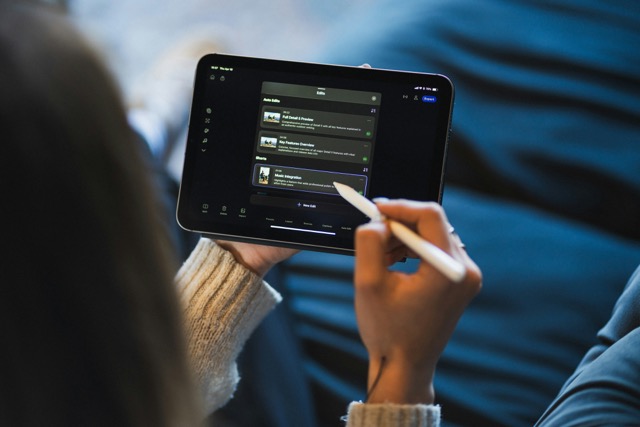
Modern video editing apps go far beyond basic trimming and merging. Advanced features are now a defining factor for creators who want their videos to stand out visually and technically. One of the most impactful features is multi-layer editing, which allows users to stack videos, images, text, and effects on a timeline. This layered approach enables more complex storytelling, smoother transitions, and richer visual compositions.
Another essential feature is keyframe animation. With keyframes, creators can control movement, scale, opacity, and effects over time. This means text can animate naturally, images can glide across the screen, and effects can evolve smoothly instead of appearing abruptly. Even subtle keyframe use can dramatically improve perceived video quality and professionalism.
Color correction and color grading tools are also increasingly common in mobile apps. These tools allow adjustments to exposure, contrast, highlights, shadows, and color temperature. More advanced apps include LUT support, enabling creators to apply cinematic looks consistently across multiple clips. This is especially valuable for brand identity and visual cohesion.
AI-Powered Tools and Automation Benefits
Artificial intelligence has become one of the most transformative elements in video editing apps. AI-driven automation helps reduce manual work while maintaining quality and accuracy. One common example is automatic captions, which analyze spoken audio and generate synchronized subtitles. This feature improves accessibility and increases engagement, especially on platforms where videos are often watched without sound.
Background removal and subject isolation are other AI-powered breakthroughs. Without requiring green screens, some apps can separate people from backgrounds and place them into new environments. This opens creative possibilities for educational content, presentations, and social media storytelling without technical complexity.
AI tools also assist with beat detection, scene selection, and smart trimming. By identifying key moments, rhythm, or visual changes, apps can suggest edits that align clips with music or remove silent pauses. These features save time and help creators focus more on creative decisions instead of repetitive tasks.
Audio Editing and Sound Design Capabilities
High-quality audio is just as important as visuals, and modern video editing apps reflect this reality. Many apps now include multi-track audio editing, allowing separate control over music, voiceovers, and sound effects. This separation enables precise balancing and cleaner sound output.
Features like audio ducking automatically lower background music when dialogue is detected, ensuring clarity without manual adjustments. Equalizers and noise reduction tools further enhance sound quality by removing background hiss, hum, or unwanted environmental noise.
Sound libraries built into editing apps also add value. These libraries provide royalty-free music and effects that can be inserted directly into projects. When combined with timeline-based audio control, creators can design immersive soundscapes that support the emotional tone of their videos.
Templates, Presets, and Workflow Efficiency
Templates and presets play a major role in speeding up the editing process. Many video editing apps offer pre-designed templates that include transitions, effects, and music synchronization. These templates are especially useful for users who want fast results while maintaining visual appeal.
Presets extend beyond templates into color grading, text animation, and effects. By saving custom presets, creators can maintain consistency across multiple videos. This is particularly useful for influencers, brands, and educators who want a recognizable visual style.
Efficient workflows also depend on intuitive interfaces and responsive timelines. Apps that minimize loading times, offer drag-and-drop functionality, and provide clear visual feedback help creators stay focused and productive. The smoother the workflow, the easier it becomes to experiment creatively.
Export Options and Format Flexibility
Export flexibility is a critical but often overlooked aspect of video editing apps. High-quality apps allow users to choose resolution, frame rate, bitrate, and aspect ratio. This ensures that videos are optimized for different platforms without unnecessary quality loss.
Support for vertical, square, and horizontal formats is essential for modern content creation. Being able to reframe or resize videos without re-editing from scratch saves time and expands distribution possibilities. Some apps also offer platform-specific export presets that automatically apply recommended settings.
Watermark control is another important consideration. While some apps include watermarks in free versions, many offer clean exports in paid plans. For creators focused on professionalism or branding, watermark-free exports are a significant advantage.
Learning Curve and Skill Progression
One of the strongest benefits of modern video editing apps is how they support skill progression. Beginners can start with basic tools and templates, gradually exploring more advanced features as confidence grows. This scalability makes apps suitable for long-term use rather than temporary solutions.
Tutorials, in-app tips, and guided editing modes help users learn organically. Instead of overwhelming newcomers with complex interfaces, many apps reveal advanced features gradually. This approach encourages experimentation and reduces frustration.
As skills improve, users can transition from automated tools to manual controls. This flexibility allows creators to develop a deeper understanding of editing principles while still benefiting from efficiency-enhancing features when needed.
Use Cases Across Different Content Types
Video editing apps serve a wide range of content types, from casual personal videos to professional productions. Social media creators benefit from quick editing tools, templates, and vertical format support. Educators and trainers rely on clear audio, captions, and structured timelines to deliver information effectively.
Businesses and marketers use editing apps to create promotional videos, ads, and product demonstrations. Features like branding overlays, consistent color grading, and precise exports help maintain a professional image across campaigns.
Storytellers, vloggers, and filmmakers often prioritize narrative control. For them, multi-track timelines, advanced transitions, and detailed audio mixing are essential. The versatility of modern apps allows each content type to be supported without compromise.
Mobile Editing vs Desktop Editing: Key Differences
Mobile video editing apps and desktop software serve different creative needs, even when they share similar features. Mobile apps prioritize speed, portability, and intuitive controls, allowing creators to edit anywhere with minimal setup. Desktop editors, on the other hand, focus on maximum precision, larger timelines, and deeper system integration. While desktops offer more processing power and advanced plugins, mobile apps compensate with automation, touch-based controls, and simplified workflows. For many creators, mobile editing is no longer a limitation but a strategic choice, especially for short-form content, social media production, and rapid publishing cycles.
Cloud Integration and Cross-Device Editing
Cloud-based features have become increasingly important in video editing apps. By storing projects online, creators can switch between devices without losing progress. This flexibility is especially useful for people who start editing on a smartphone and finish on a tablet or computer. Cloud integration also improves collaboration, allowing teams to share drafts, assets, and feedback more efficiently. Automatic backups reduce the risk of data loss, while version history enables experimentation without fear. As content creation becomes more dynamic and remote, cloud-enabled editing apps offer a significant workflow advantage.
Performance Optimization and Device Compatibility
Performance is a critical factor when choosing a video editing app. Efficient apps are optimized to run smoothly on a wide range of devices, minimizing crashes, lag, and overheating. Many apps automatically adjust preview quality during editing to maintain responsiveness, then render at full quality during export. Device compatibility also matters, as some apps are optimized for tablets, while others perform better on smartphones. Regular updates improve stability and introduce performance enhancements. A well-optimized app ensures that creativity is not interrupted by technical limitations.
Customization and Creative Control
Customization options define how much creative freedom a video editing app provides. Beyond basic filters, advanced apps allow users to adjust parameters such as motion curves, blend modes, and effect intensity. Custom fonts, animations, and transitions help creators develop a unique visual identity. Being able to save presets further enhances consistency across projects. Creative control also includes manual timeline adjustments and fine trimming. The more customizable an app is, the easier it becomes to translate creative ideas into polished visual results without compromise.
Accessibility and Inclusive Editing Features
Accessibility has become a growing focus in video editing apps. Features like automatic captions, adjustable text sizes, and high-contrast interfaces make editing more inclusive. Caption tools help creators reach audiences with hearing impairments and improve content comprehension across languages. Voice control and simplified interfaces also benefit users with limited mobility or technical experience. Inclusive design not only broadens the user base but also improves usability for everyone. Apps that prioritize accessibility empower more creators to express themselves through video without unnecessary barriers.
Future Trends in Video Editing Apps
The future of video editing apps is closely tied to artificial intelligence and real-time processing. Upcoming trends include smarter automation, real-time collaboration, and deeper personalization. AI-generated effects, voice cloning, and scene reconstruction are expected to become more accessible. Augmented reality elements may further blur the line between editing and creation. As hardware continues to evolve, mobile apps will gain even more power and precision. These innovations will continue to redefine what creators can achieve directly from their devices.
Conclusion
Video editing apps have transformed the way content is created and shared. They offer powerful tools that adapt to different skill levels, making professional-looking videos more accessible than ever. From quick social media edits to complex storytelling projects, there is an app designed to support every creative goal.
Understanding the strengths and benefits of each video editing app allows you to make informed decisions and optimize your workflow. By choosing a tool that aligns with your needs, you can focus on telling better stories, engaging your audience, and expressing your creativity with confidence.
Frequently Asked Questions
1. Are video editing apps suitable for professional content creation?
Yes, many modern video editing apps offer advanced tools such as multi-track timelines, color grading, and high-resolution exports that meet professional standards.
2. Can beginners use video editing apps without prior experience?
Absolutely. Most apps are designed with intuitive interfaces, templates, and guided features that make editing accessible for beginners.
3. Do video editing apps support different video formats and aspect ratios?
Yes, most apps support multiple formats and aspect ratios, allowing creators to tailor content for various platforms and purposes.
4. Is it possible to edit long videos using mobile video editing apps?
Many advanced apps handle long-form content efficiently, offering stability, multi-layer timelines, and precise editing controls.
5. What features should I prioritize when choosing a video editing app?
Key features include ease of use, export quality, creative tools, audio control, and compatibility with your preferred workflow and content type.